


Master Your VolcanoView Remote: The Essential Amino Amigo Guide
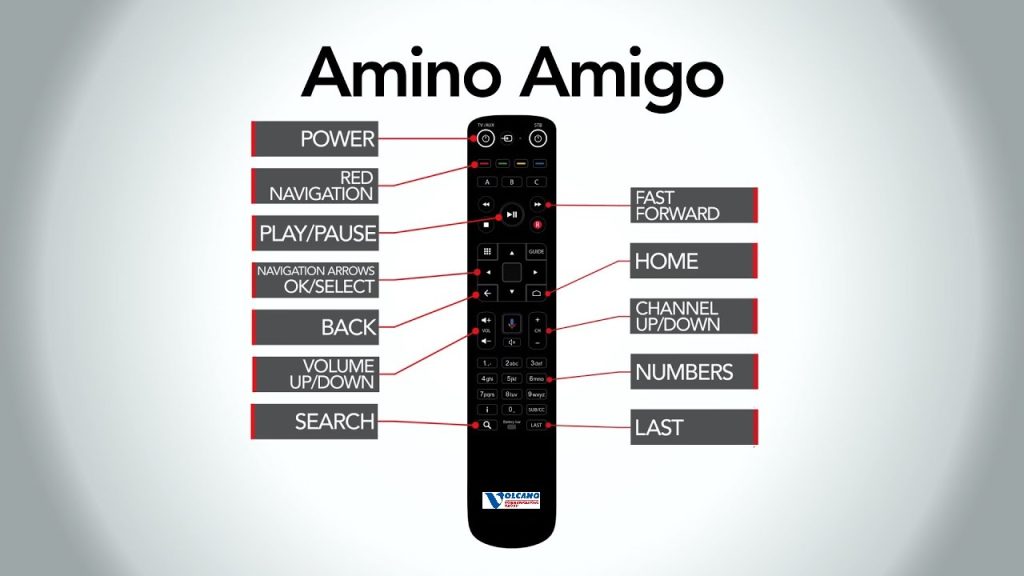
Confused by all the buttons? No worries. Whether you’re setting up for the first time or just want to make sure you’re getting the most out of your VolcanoView Broadband TV remote, this guide has you covered.
Most Popular Buttons & What They Do:
We’ve highlighted the buttons you’ll use the most, from navigating the channel guide and adjusting volume to voice search and DVR playback controls. Simple, clear, and easy to follow.
For everything else, we’ve included a full remote diagram with every button labeled and explained. You can download and print this for quick reference, perfect for new users or anyone who needs a little extra help.
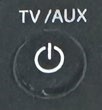
1. TV Power Button (Top Left)
Function: Turns TV on and off
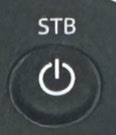
2. Set Top Box ‘STB’ Power Button (Top Right)
Function: Turns on or off your set top box
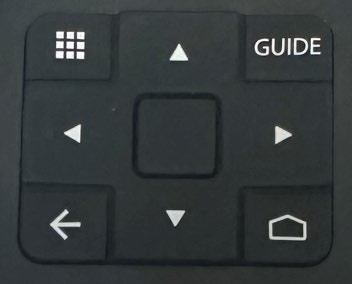
3. Navigation Arrows & OK Button (Center Pad)
Function: Use the arrows to navigate menus. Press the center button to select (OK) an option.

4. Guide Button (Right above the navigation arrows)
Function: Opens the TV Program Guide to browse channels and schedules.
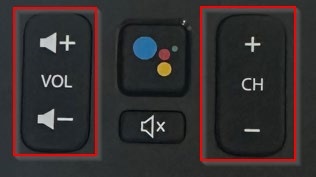
5. Volume & Channel Buttons (To the right of the navigation pad)
Function: VOL +/- Adjust the volume.
Function: VOL +/- Adjust the volume.
CH +/- Scroll through channels one page at a time. To scroll through channels one channel at a time, use the navigation keypad.

6. Mute Button (Below the volume buttons (Indicated with a speaker icon with a slash)
Function: Instantly mutes the sound.
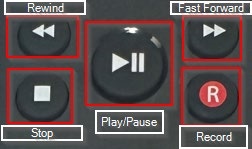
7. Playback Controls (Play, Pause, Record, Stop, Fast-Forward, Rewind)
Function: Controls for recorded or on-demand content.
Play/Pause: Start or pause content.
Record (R): Records a program.
Stop, FF, Rewind: Manage playback.
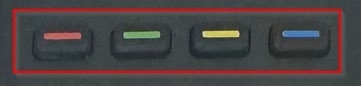
8. Colored Buttons (A,B,C,D)
Function: Red: Accesses recorded and scheduled shows.
Green: Access all shows.
Yellow: Access live TV
Blue: Access all movies
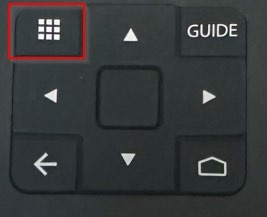
9. Menu / Home Button (Below Navigation Pad)
Function: Opens the main menu or home screen

10. Last Button (Bottom Right, labeled “Last”)
Function: Goes back to the previous channel.
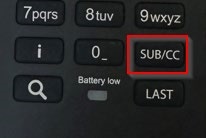
11. Subtitle/Closed Caption (SUB/CC)
Function: Toggles subtitles or closed captions on/off
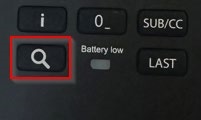
12. Search Button (Magnifying Glass)
Function: Opens search to quickly find shows, movies, or apps.
For any additional questions, please contact our TV customer support team at 1.209.296.2288